
Download youSENDit Express – Free Secure File Sharing Tool for Professionals
Overview
youSENDit Express is a free‑to‑use file‑sharing solution built specifically for business professionals who need to move large digital assets quickly and securely. Unlike traditional email attachments, which typically cap at 25 MB, youSENDit Express lets you upload photographs, video clips, design mock‑ups, or any other heavyweight files and deliver them directly to a recipient’s inbox with a simple, clickable link. The service is web‑based, meaning there is no need for a bulky client‑side installation beyond a lightweight desktop helper that streamlines the upload process.
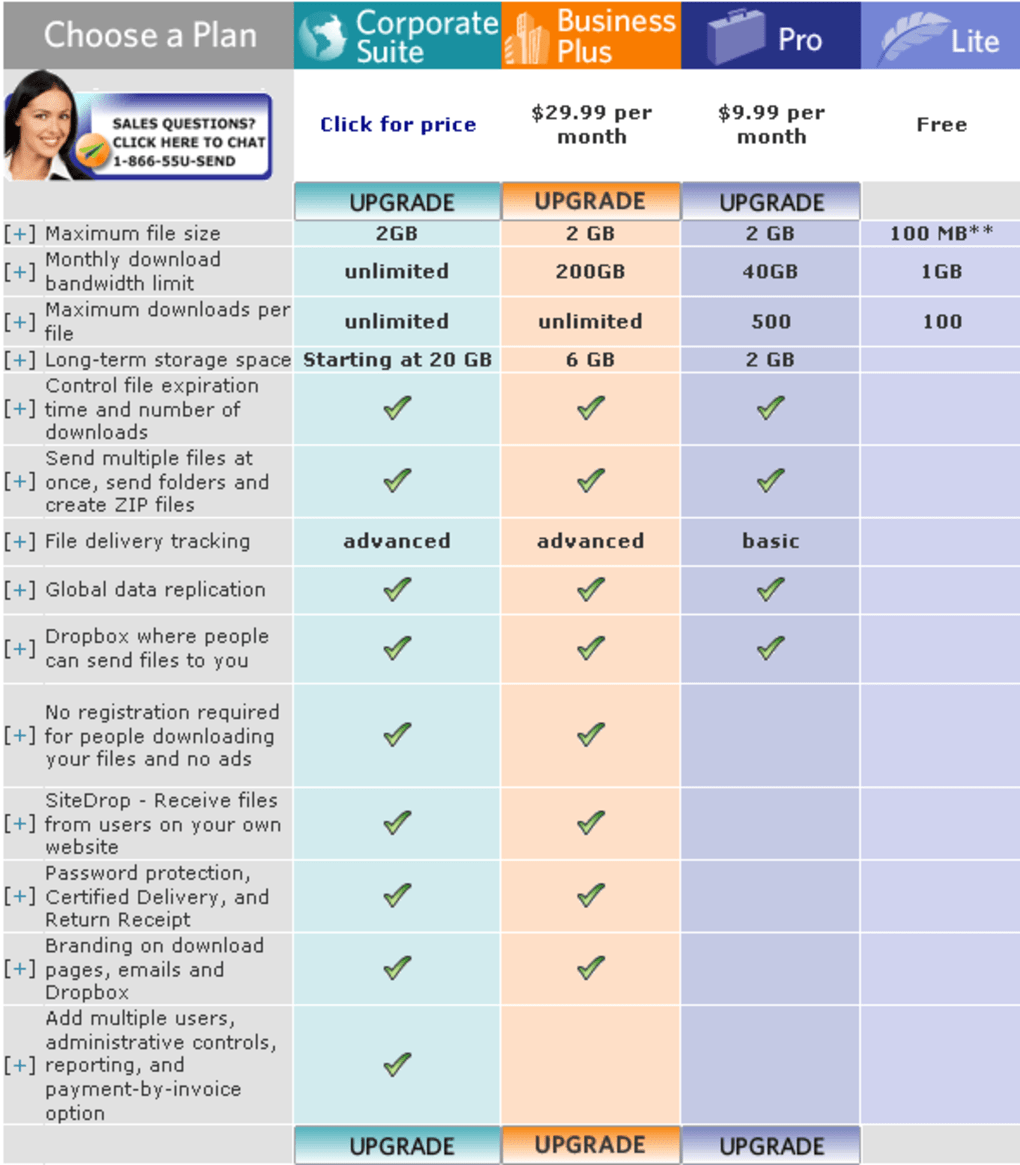
Once the file is uploaded, the sender enters the recipient’s email address, optionally adds a short message, and the system instantly generates a secure download link that is sent to the recipient. This link remains active for a configurable period, after which the files are automatically purged from the server, ensuring that confidential data does not linger longer than necessary. While the free tier imposes a 2 GB per‑transfer limit and excludes some advanced features such as password protection, tracking, and extended retention, the core experience remains fast, reliable, and completely free of hidden fees.
For teams that regularly exchange high‑resolution media, product renderings, or large datasets, youSENDit Express can serve as a quick, on‑the‑fly alternative to paid cloud storage services—provided the 2 GB ceiling meets their needs. The software’s emphasis on speed (most links are delivered within minutes), simplicity (no account required for basic transfers), and security (SSL‑encrypted transfers) makes it a compelling option for freelancers, marketers, and sales professionals who need to send big files without the hassle of setting up a dedicated file‑transfer protocol.
Key Features
- Instant Link Generation: As soon as the upload finishes, a unique, time‑limited URL is created and emailed to the recipient.
- 2 GB Free Transfer Limit: The free version supports files up to 2 GB, sufficient for most high‑resolution images and short video clips.
- Cross‑Platform Compatibility: Works on Windows, macOS, Linux, Android, and iOS via a web browser or native helper app.
- SSL Encryption: All data is encrypted in transit, protecting sensitive business documents from interception.
- Automatic Expiration: Files are automatically deleted after a set period (default 7 days) to maintain privacy.
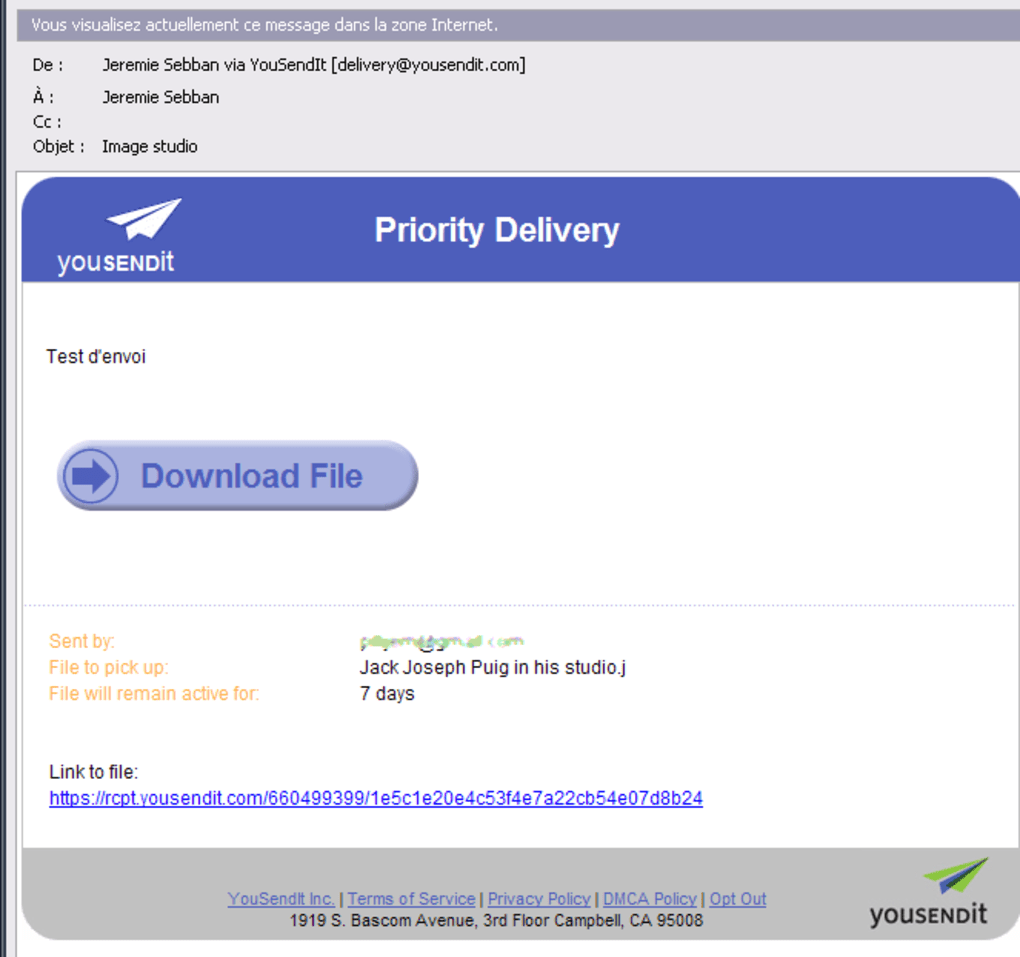
- Simple Email Notification: Recipients receive a clean, branded email with a single “Download” button.
- Drag‑and‑Drop Interface: Users can drop files directly into the browser window for a frictionless experience.
- Free Tier, No Credit Card Required: Get started instantly without providing payment information.
While the free tier limits some of the premium capabilities—such as password‑protected links, detailed download analytics, and customizable expiration periods—the core feature set remains robust enough for day‑to‑day professional use. The service’s design focuses on speed; uploads are split into parallel streams, which maximizes bandwidth utilization and reduces overall transfer time. Additionally, the email template is fully responsive, ensuring that the download link looks good on both desktop and mobile devices. For users who need to send larger assets, the paid version unlocks up to 10 GB per transfer, integrates with Active Directory for single‑sign‑on, and provides an admin dashboard for monitoring usage across teams. However, for many freelancers and small agencies, the free version of youSENDit Express already delivers a reliable, secure, and cost‑free solution for their biggest file‑sharing challenges.
Installation & Usage Guide
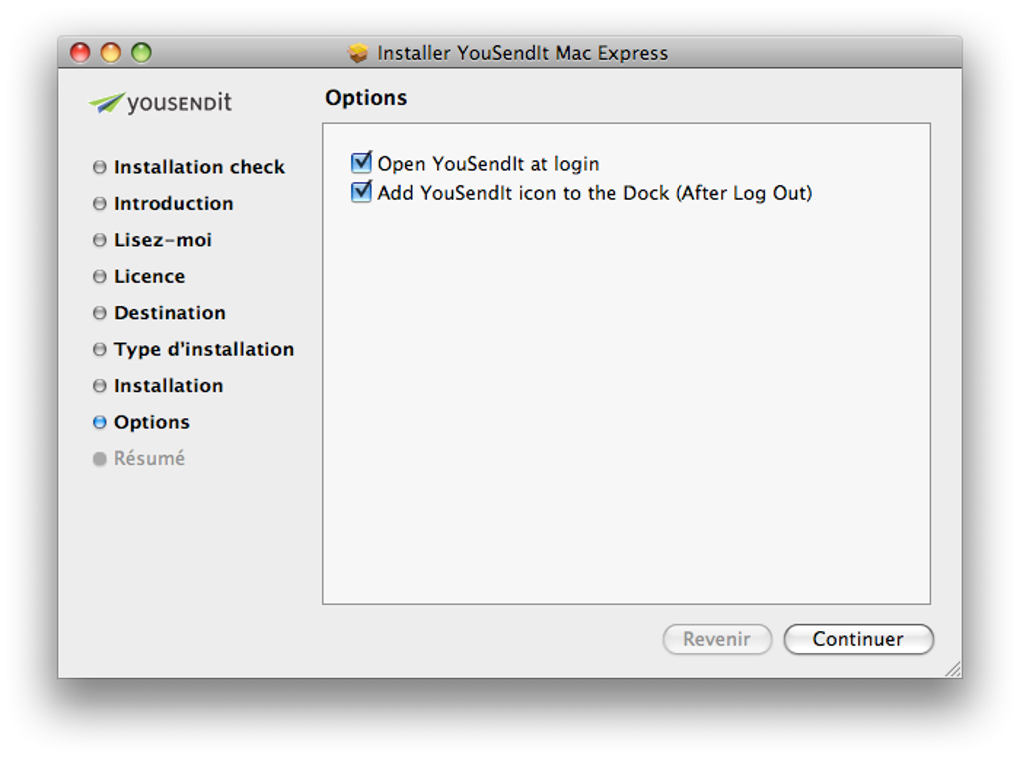
Getting started with youSENDit Express is straightforward and can be completed in under five minutes. First, visit the official youSENDit website and click the “Download for Windows” (or macOS, Linux) button. The installer is a small .exe or .dmg file that installs a lightweight background helper. This helper integrates with the operating system’s file explorer, allowing you to right‑click any file or folder and select “Send with youSENDit Express.” If you prefer a fully browser‑based workflow, you can skip the desktop helper entirely and use the web portal at yousendit.com/express.
Once installed, launch the helper or open the web portal. You’ll see a clean drag‑and‑drop area. Drag your files onto this zone, or click the “Select Files” button to browse your computer.
After the files finish uploading (you’ll see a progress bar for each file), a dialog prompts you to enter the recipient’s email address, an optional subject line, and a brief message. You can add multiple recipients by separating their addresses with commas. When you hit “Send,” the system encrypts the files, stores them temporarily on secure servers, and immediately dispatches an email containing a unique download link.
Recipients simply click the link, which opens a responsive download page. From there they can download the files individually or as a compressed ZIP archive. The download page also displays the remaining time before expiration and the file size, helping users gauge how long the transfer will take. If the recipient encounters any issues, they can request a new link from the original sender via a “Resend” button that appears in the email. For occasional users, no account creation is needed; however, creating a free account unlocks a transfer history view, allowing you to retrieve past links that are still active.
To ensure smooth operation, make sure your firewall or corporate proxy allows outbound HTTPS traffic on port 443. The helper app also offers a “Run at Startup” option, which can be useful for power users who share files multiple times per day. Finally, remember to clear completed transfers from the local cache periodically; the helper stores a small log file for troubleshooting, but it does not retain the actual data once the server purge completes.
Compatibility & System Requirements
youSENDit Express is built to be universally compatible across modern operating systems and devices. The desktop helper is available for:
- Windows 10, 11 (64‑bit) – requires .NET Framework 4.7 or later.
- macOS 10.15 (Catalina) and newer – packaged as a signed .dmg installer.
- Linux distributions (Ubuntu 18.04+, Fedora 30+, Debian 10+) – distributed as an AppImage or .deb package.
- Android 6.0+ – accessible through the mobile‑optimized web portal; no native app required.
- iOS 12+ – also web‑based; Safari and Chrome provide full functionality.
The web portal itself runs on any recent browser that supports HTML5 and JavaScript, including Chrome, Edge, Firefox, and Safari. For optimal performance, a stable broadband connection with at least 5 Mbps upload speed is recommended when transferring files close to the 2 GB limit. Users on slower connections may experience longer upload times, but the parallel chunking algorithm employed by youSENDit helps mitigate latency by uploading multiple segments simultaneously.
Security‑conscious organizations should note that the service complies with GDPR and employs AES‑256 encryption for data at rest, in addition to TLS 1.2+ for data in transit. The helper app runs with standard user privileges; it does not require administrator rights unless you need to install it in a restricted corporate environment. In such cases, the installer can be deployed via Group Policy or a software distribution platform like SCCM.
For enterprises that require tighter integration, the paid version offers SSO (Single Sign‑On) via SAML, LDAP, or Azure AD, as well as custom branding and API access. However, the free version already covers the needs of freelancers, small agencies, and occasional professional users across all major platforms.
Pros and Cons
Pros
- Zero Cost for Basic Use: No subscription or credit‑card required for transfers up to 2 GB.
- Fast Delivery: Recipients typically receive the download link within minutes of upload.
- Secure Transfers: SSL/TLS encryption protects files during upload and download.
- Cross‑Platform Support: Works on Windows, macOS, Linux, Android, and iOS.
- Simple Interface: Drag‑and‑drop upload and one‑click email notification reduce learning curve.
- Automatic Expiration: Files are deleted after a set period, minimizing data‑retention risk.
- No Account Needed for Free Tier: Quick, anonymous sharing without registration.
Cons
- 2 GB Size Limit: The free version cannot handle larger media files common in video production.
- Limited Advanced Features: No password protection, download tracking, or custom branding without upgrading.
- Link Expiration Period is Fixed: Users cannot extend the default 7‑day window in the free tier.
- Desktop Helper Optional: While convenient, the helper adds a small installation step that some users may want to avoid.
- Support is Community‑Based: Free users rely on forums and knowledge‑base articles rather than dedicated support.
Overall, youSENDit Express offers a solid, no‑cost solution for professionals who need to share sizable files quickly. The user‑friendly design, strong security, and multi‑platform reach outweigh the limitations of the free tier for most small‑to‑medium projects. For power users dealing with frequent large‑file transfers, the paid upgrade provides the extra bandwidth and management tools required to keep workflows seamless.
Frequently Asked Questions
What is the maximum file size I can send with the free version of youSENDit Express?
The free tier allows a single transfer of up to 2 GB. If you need to send larger files, you’ll need to upgrade to the paid plan, which supports up to 10 GB per transfer.
Do recipients need a youSENDit account to download files?
No. Recipients simply click the secure link in the email and download the files directly from the web page. An account is only required if the sender has enabled optional features like download tracking.
Is the data encrypted during transfer?
Yes. All uploads and downloads use SSL/TLS encryption (HTTPS), and files are stored on the server with AES‑256 encryption at rest.
Can I set a custom expiration date for the download link?
In the free version the expiration period is fixed at 7 days and cannot be changed. Paid subscribers can customize the retention period up to 30 days.
What browsers are supported for the web portal?
youSENDit Express works with the latest versions of Chrome, Edge, Firefox, and Safari on both desktop and mobile devices.
Conclusion
If you’re a professional who occasionally needs to move large photos, design drafts, or video snippets without the hassle of setting up a dedicated FTP server, youSENDit Express delivers a fast, secure, and completely free solution. Its intuitive drag‑and‑drop interface, automatic link generation, and cross‑platform reach make it a practical choice for freelancers, small agencies, and even larger teams that only need occasional large‑file transfers. While the 2 GB ceiling and lack of premium features may push power users toward the paid plan, the core functionality is more than sufficient for day‑to‑day business communication. Ready to try it out? Click the button below to download the free desktop helper or start a transfer directly from your browser.







